
Required stock and stop ordering
What the required stock level means, how to lock it to your own number, and what stop ordering does.
These settings live under Fulfillment & Stock Management on a listing's edit page. Open the section by clicking its title, change what you need and click the section's Save.
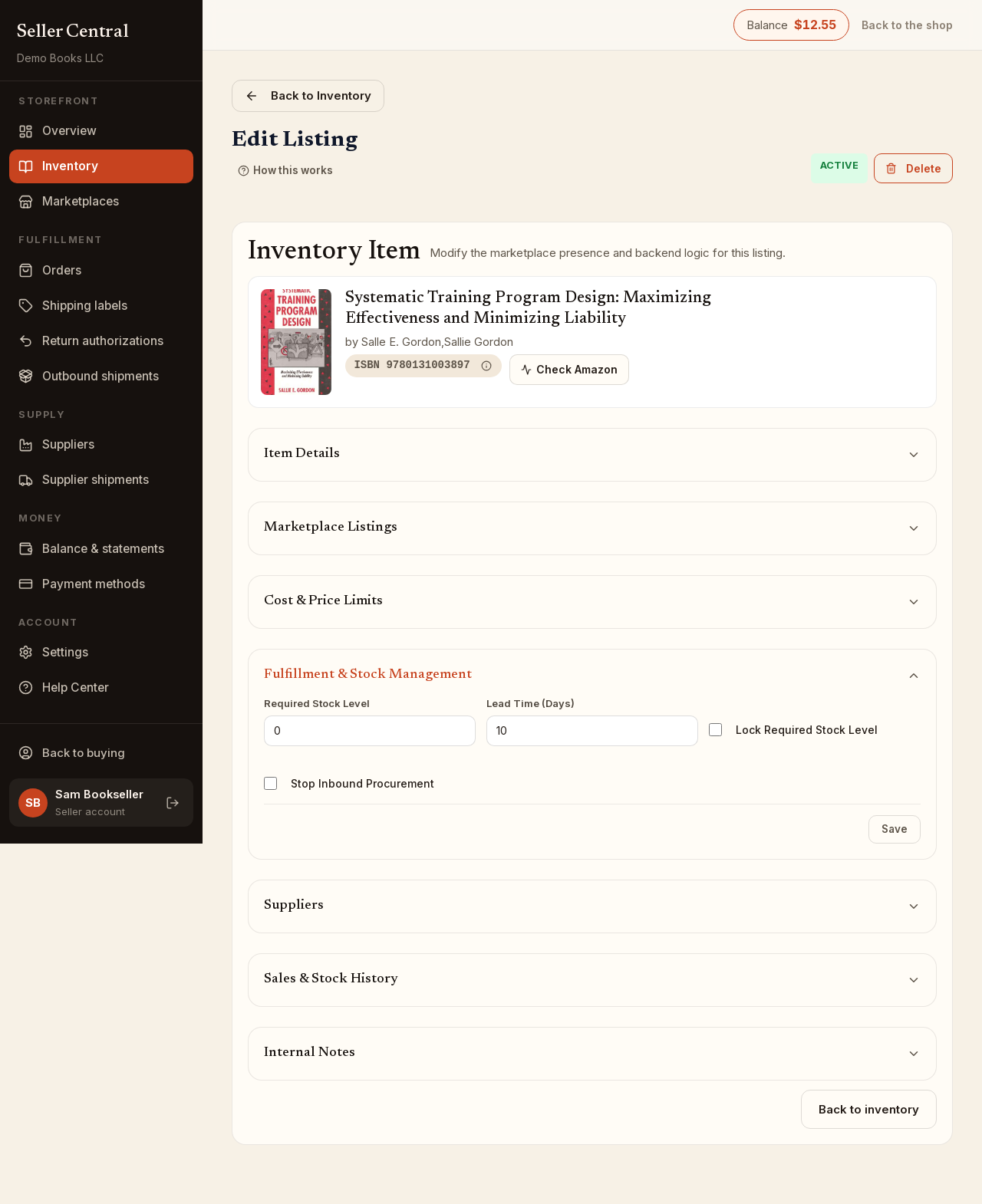
Required Stock Level
The Required Stock Level is how many copies of this listing you aim to keep on hand. A new listing starts at 0.
The number matters most when you work with suppliers. A supplier you have assigned to the book sees it in their portal only while the required stock level is above what you hold, and what they are shown to send is the required level minus your stock (your copies plus any at the Bookface warehouse). See assign books to a supplier.
Lead Time (Days) is how many days you need from ordering a copy to having it in hand.
The weekly recalculation
Once a week, Bookface recalculates the required stock level of every listing that is not locked, from the listing's recent sales and its lead time. A listing that sells steadily gets a number that covers the demand expected while a reorder is on its way; a listing with no supplier assigned and no repeat sales is set to 0; a listing with stop ordering on is set to 0. The new value shows in the Required Stock Level box the next time you open the listing.
If you would rather set the number yourself:
- Enter your Required Stock Level.
- Tick Lock Required Stock Level.
- Click Save.
A locked listing keeps exactly the number you entered; the weekly recalculation never changes it. Untick the box and save to let the calculation take over again.
Stop Inbound Procurement
Tick Stop Inbound Procurement and save when you have stopped reordering a book. The listing keeps selling whatever stock it has, but its required stock level is set to 0 and it is kept out of what your suppliers see and search, so nothing more is sent. Untick it to resume.
To take a book off sale altogether, archive it instead — see edit a listing.
Finding these listings
On the inventory list, the Required stock locked checkbox shows only locked listings, Stop ordering shows only stopped ones, and Needs stock shows listings whose required stock level is above what you hold and what your suppliers already have on open shipments. See find inventory.