
Check Amazon price and rank
See a book's Amazon sales rank and current new, used, Amazon and list prices with one click from the edit page.
When you are pricing a copy it helps to know what the same ISBN does on Amazon. The edit page can fetch that for you on demand.
Where the button is
Open a listing's full edit page (the open-in-tab icon on the inventory list). A Check Amazon button sits beside the ISBN under the book's title, and another one sits beside every ISBN under Marketplace Listings, so a copy sold under several editions can be checked under each of them.
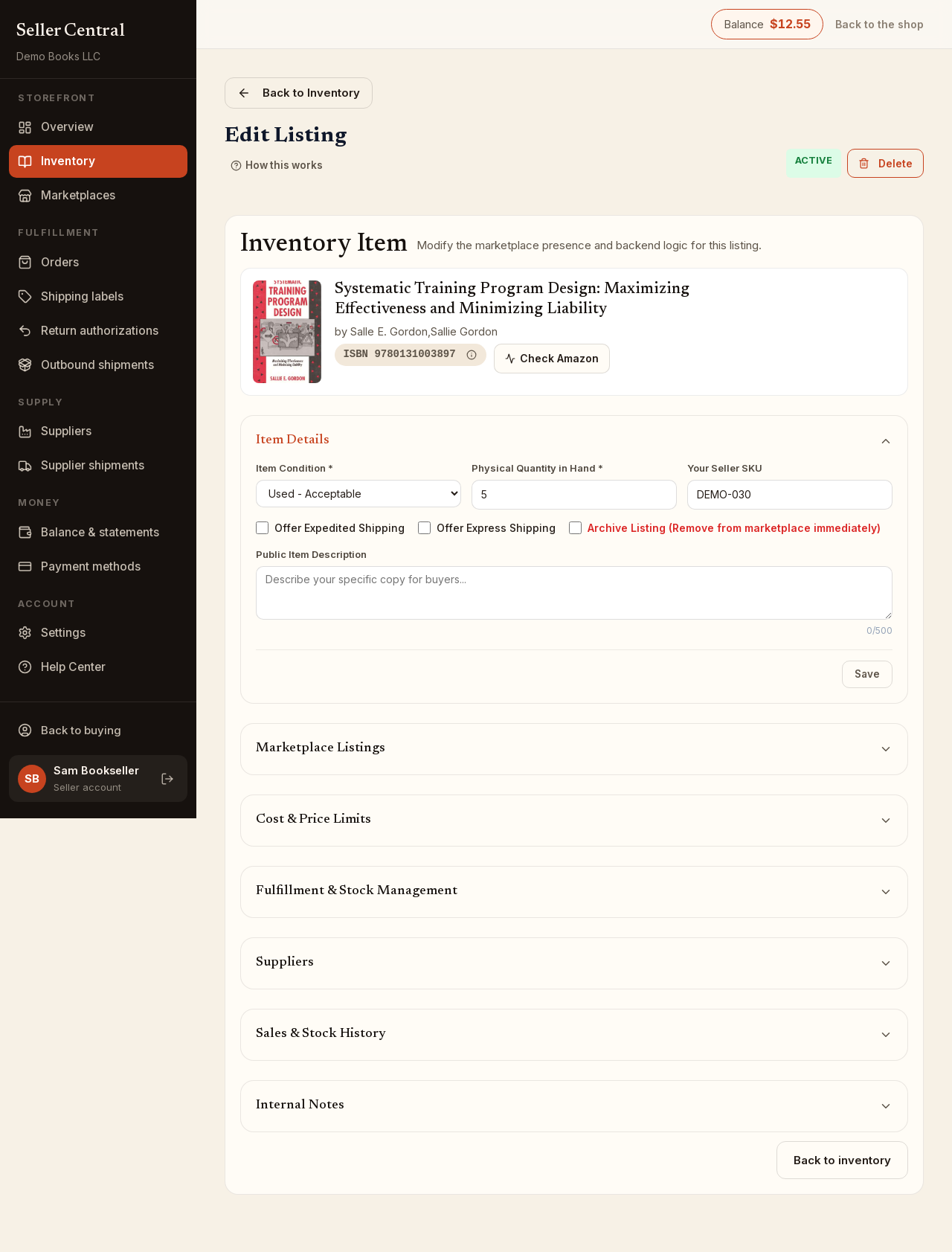
Run a check
- Click Check Amazon.
- Wait a moment while the figures are fetched.
- Read the result, which appears inline beside the button:
- Rank — the sales rank, with its category when Amazon gives one, or no rank.
- New — the current lowest new price.
- Used — the current lowest used price.
- Amazon — Amazon's own price, shown only when Amazon itself sells the book.
- List — the publisher's list price, when known.
- The ASIN, as a link that opens the book's Amazon page in a new tab.
A dash means that figure is not available right now. If the ISBN is not sold on Amazon at all, the result reads Not on Amazon.
The button changes to Refresh after a check; click it to fetch the figures again. Nothing runs automatically, and the check only works for ISBNs on your own listings.
Using the figures
The check does not change anything on the listing. Type the price you want in the Marketplace Listings grid, or under Prices for this ISBN when you are adding a book.