
After the seller receives a shipment
A received shipment is frozen read-only; here is what the portal shows and what, if anything, is left to do.
A shipment has two states. It is Open from the moment you create it until the seller marks it received. Then it is Received, and it stays that way for good. Nothing on the supplier side changes it back.
What you see
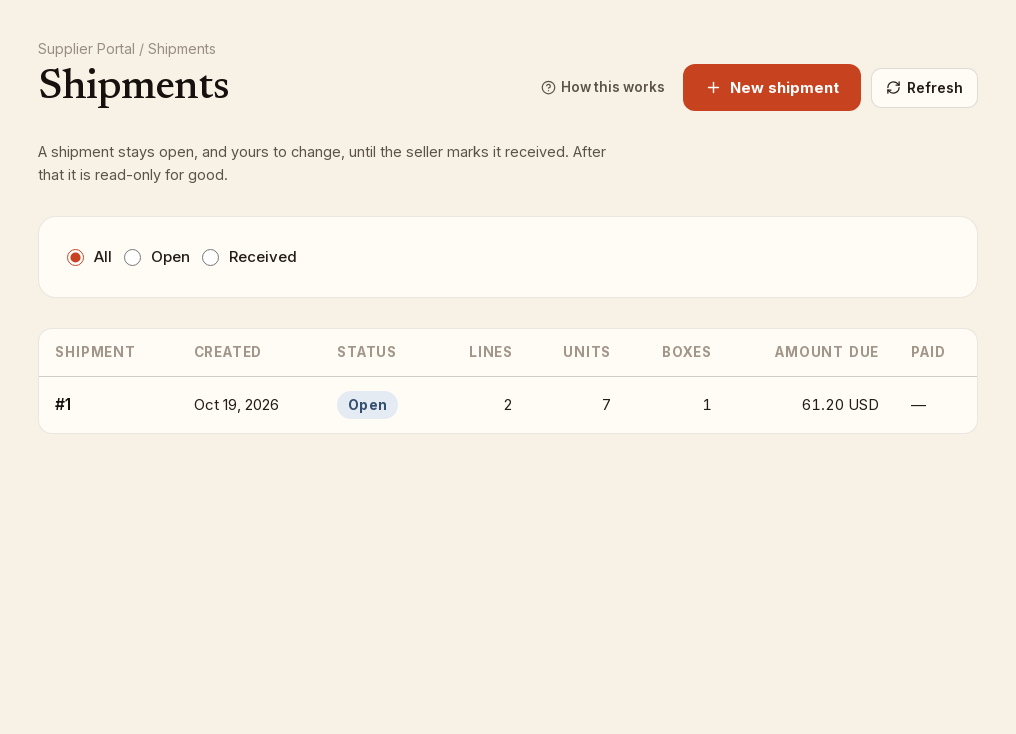
On the Shipments list the Status column changes from Open to Received with the date. Choose the Received filter to see only these.
Open the shipment and the Received badge replaces Open. A notice at the top reads The seller received this shipment on (date). It is read-only now. If the seller has recorded a payment, the notice adds Marked paid (date) and the list's Paid column shows the same. If the seller left a note for you, it appears as Seller's note in the same notice.
Everything else is frozen:
- The Shipment details fields are shown but disabled, and there is no Save details button.
- Books on this shipment lists each line as text. Where the seller counted a different number from what you recorded, the Qty column reads, for example, 5 sent, 4 received.
- The pencil, trash and Delete buttons are gone, and the Add books panel is not shown.
What is left to do
Nothing in the portal. The shipment is the seller's record now. If the quantities received differ from what you sent, or the price the seller has on file differs from what you charged, that is for you and the seller to settle between you; the portal does not carry a dispute or a reply.
If you are still waiting for payment, the Paid column on the Shipments list tells you when the seller has recorded it. The portal does not send payments.
Next delivery
Once a shipment is received, the copies on it no longer count against the books' Qty needed as copies in transit. Check Assigned inventory for what the seller wants next and create a new shipment.