
How rentals work
Pick your own due date, pay once, get a prepaid return label, and extend or keep the book if you want.
A rental is a book you keep until a due date you choose, then send back with a prepaid label. Standard shipping is free both ways.
Renting a book
- Open the book page. If the title can be rented, a panel headed Rent this book sits above the seller listings.
- Under Return by, pick the date you want to send it back. The Total rental price updates for that date.
- Click Rent now. The rental goes into your cart.
- In the cart and at checkout you can still change the Return by date and choose Standard — free or Expedited shipping. Rentals have no express option.
- Check out as usual. A card is required and stays on file for the rental; the card form says so and links to the rental policies.
Rental books are typically used and do not come with unused access code cards. If your course needs the code, buy a new copy instead.
While you have the book
Sign in, click My account, then Rentals. The page is titled Your rentals and lists every book you have out, soonest due first.
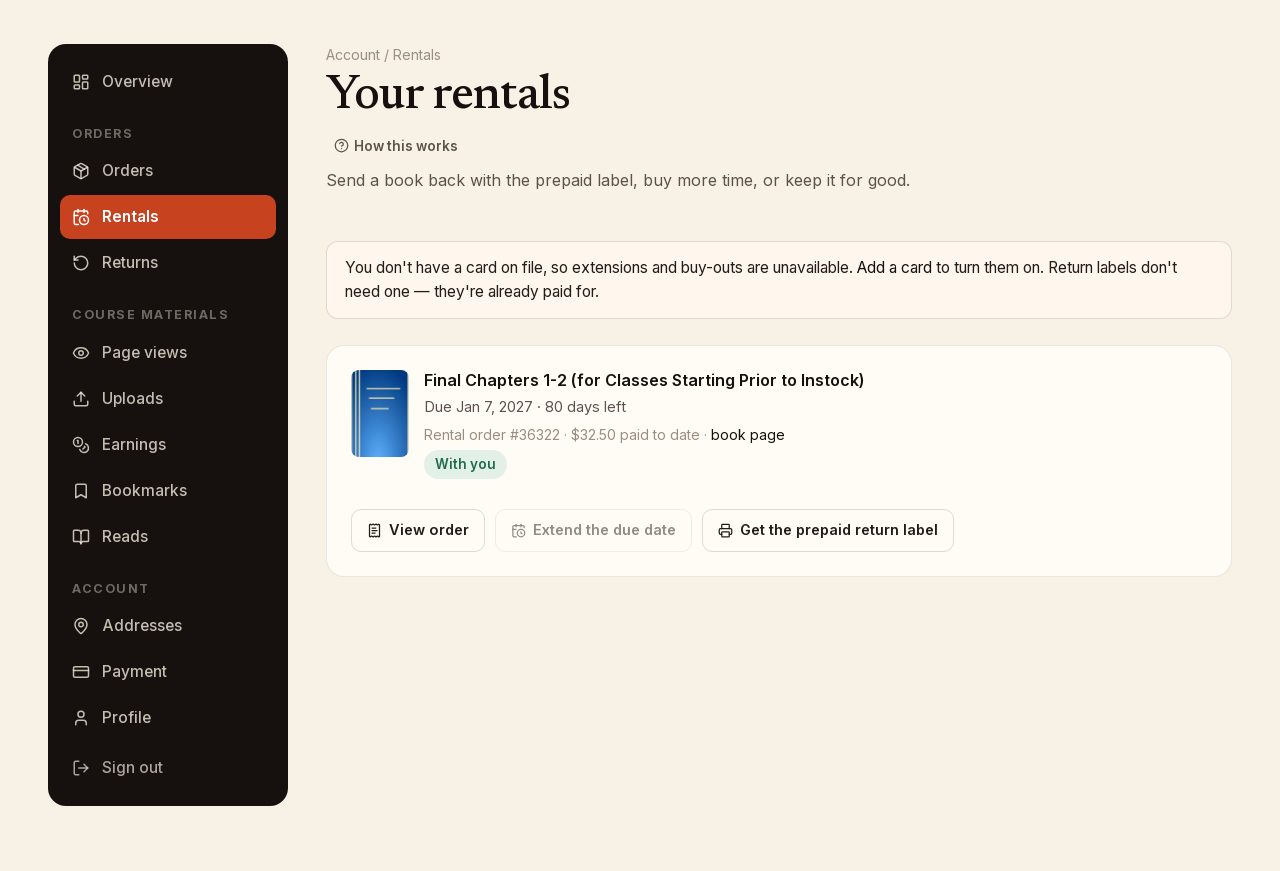
Each book shows Due <date> · N days left, the amount paid to date, and a badge: On its way until it ships, then With you. Under it are the actions:
- View order opens the rental order with its tracking and totals.
- Extend the due date: pick a New due date, see the Extension fee priced for it, then click Pay $x and extend. The new date must be at least 7 days past the current one.
- Keep it for $x: buy the copy you already have. See Late fees and buyout.
- Get the prepaid return label when you are ready to send it back. See Return a rental.
Extensions and buyouts need a card on file. If you have none, the page says so with a link to add one; return labels never need a card.
Where the rental shows up
Under Orders, the Rentals tab lists each rental order as Rental # with Open or Closed. Order details shows each book as Preparing or Shipped to you, its tracking link, any return label you have printed, and Paid so far.
Finished rentals (returned, bought, or refunded) move to Finished rentals at the bottom of the rentals page.
Care of the book
Return the book in the condition you received it, with any extras that came with it. The full terms are in the rental policies.