
Late fees and buyout
What happens if a rental is late, and how to keep the book instead of sending it back.
Your due date is the date the book must be in the mail. Before it arrives, you can extend the rental or buy the book outright; after it passes, late fees apply.
Late fees
If the book is not mailed by the due date, late fees start after a 2-day courtesy window and accrue daily until the buyout price is reached. They are charged to the card on file for the rental. This is a late fee on rentals only; it has nothing to do with the 30-day return policy for purchases.
You will see it in your account:
- The due line on your rentals page turns to Overdue by N days — due <date>.
- A Late fee charged badge appears on the book once a fee has been charged.
- The amount paid to date on the rental order updates.
If a book is never returned, you are charged the full purchase price of the book. The fee amounts and the full sequence of what happens are in the rental policies.
Avoiding a late fee
- Extend before the due date. On your rentals page, click Extend the due date, pick a New due date (at least 7 days past the current one), check the Extension fee, and click Pay $x and extend.
- Keep the book. See below.
- Mail it on time. The postmark is what counts, so a book dropped at the post office on the due date is on time.
Buy the book you are renting
If you would rather keep the book, you can buy the copy you already have.
- Sign in, click My account, then Rentals.
- On the book, click Keep it for $x. The button appears once the book is with you.
- Under Pay with, choose the card to charge. The Purchase price is shown.
- Click Pay $x and keep it.
Buying the copy closes the rental: nothing to send back, no more due dates, and no further charges. The book moves to Finished rentals with the note You bought this copy.
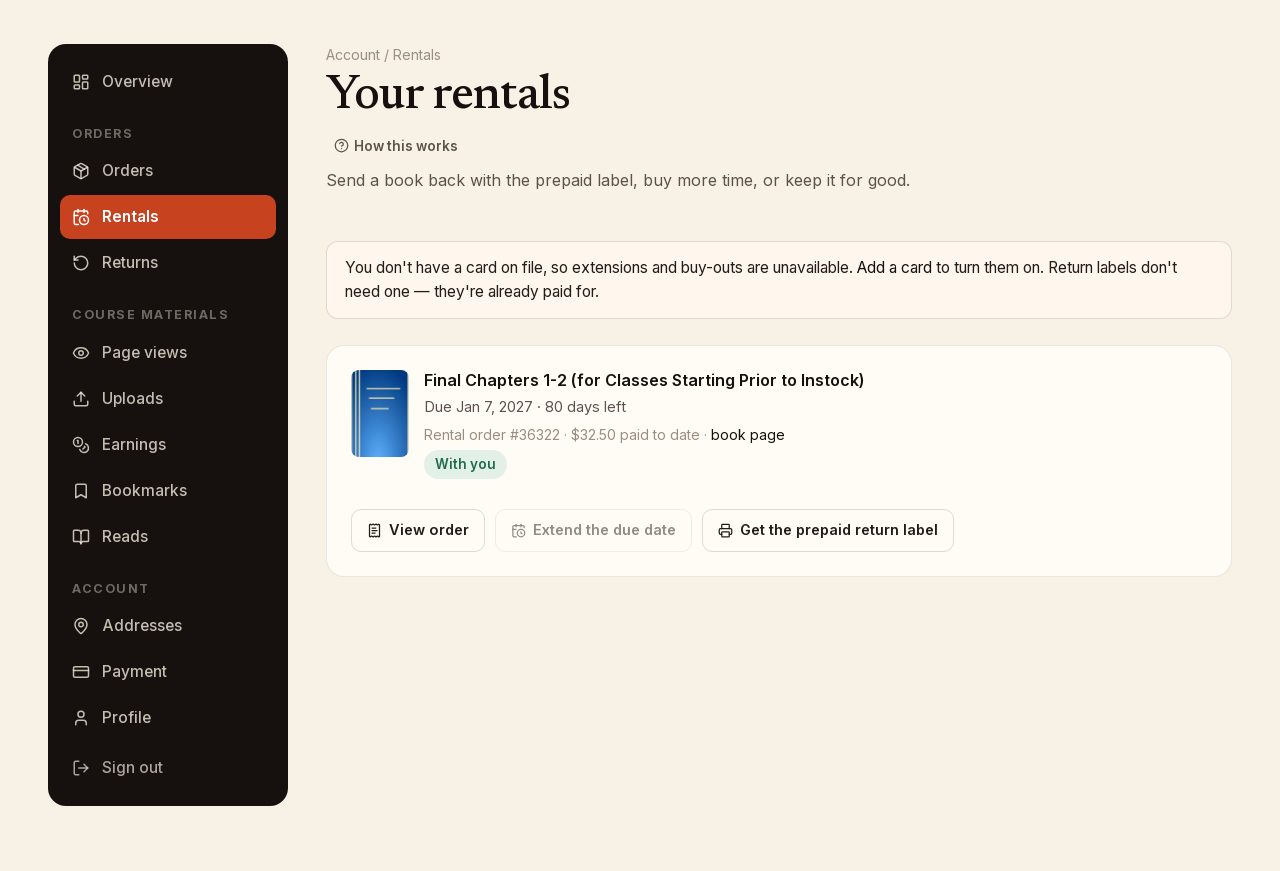
A card is required
Extensions, buyouts and late fees all use a card on file. If you have no card saved, the rentals page says so and links to Payment methods. Return labels never need a card.