
Create an account
Sign up with your Google account or with an email address and a password.
You can search for books, read book pages, fill a cart and get a buyback quote without an account. You need one to check out, to see your orders and rentals, and to start a return.
Sign up
- Click Log in at the top right of any page, then Create an account at the bottom of the sign-in card. You can also go straight to /signup.
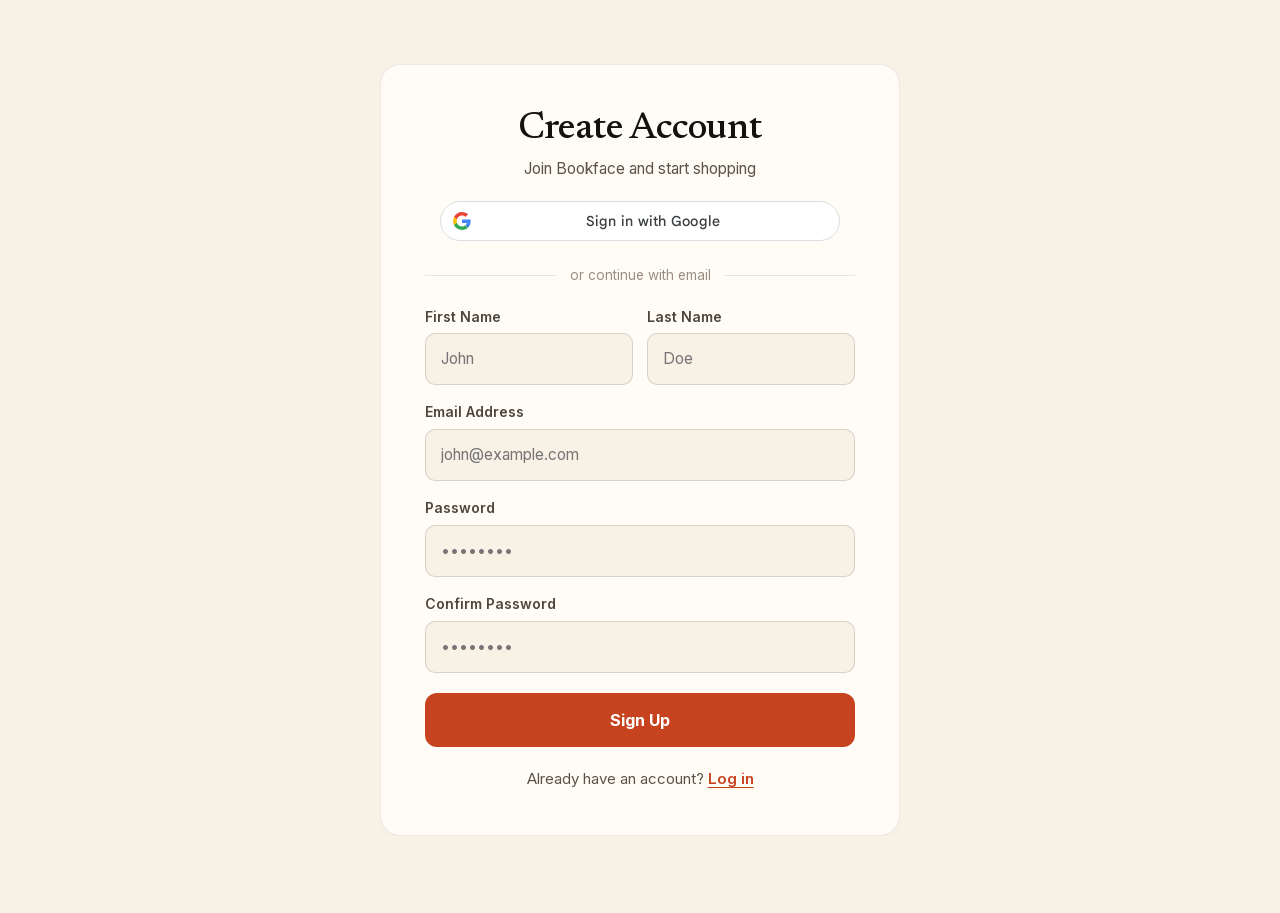
- To use your Google account, click the Google button. That is the whole process; you land on your account dashboard.
- To use an email address instead, fill in First Name, Last Name, Email Address, Password (at least 8 characters) and Confirm Password.
- Click Sign Up.
What happens next
- You are signed in right away and taken to your account dashboard, or back to checkout if that is where you came from.
- Anything already in your cart stays in your cart.
- If you uploaded course materials earlier using only an email address, sign up with that same address. The uploads and their page views are in your account as soon as you are in.
If sign-up does not go through
- Passwords do not match: retype both password fields.
- If the address already has an account, the page says so. Go to sign in and use Forgot your password? if you do not remember the password.
- If the Google button does not work, use the email form instead.
Already have an account?
Click Log in under the form. See Sign in and the emailed access link.
Still have a question?