
Get a quote
Enter an ISBN to see what we will pay for a book, then add it to your buyback cart.
Selling your books to Bookface starts with a quote. You do not need an account: quote, add to the cart, check out, and print the free shipping label.
Quote a book
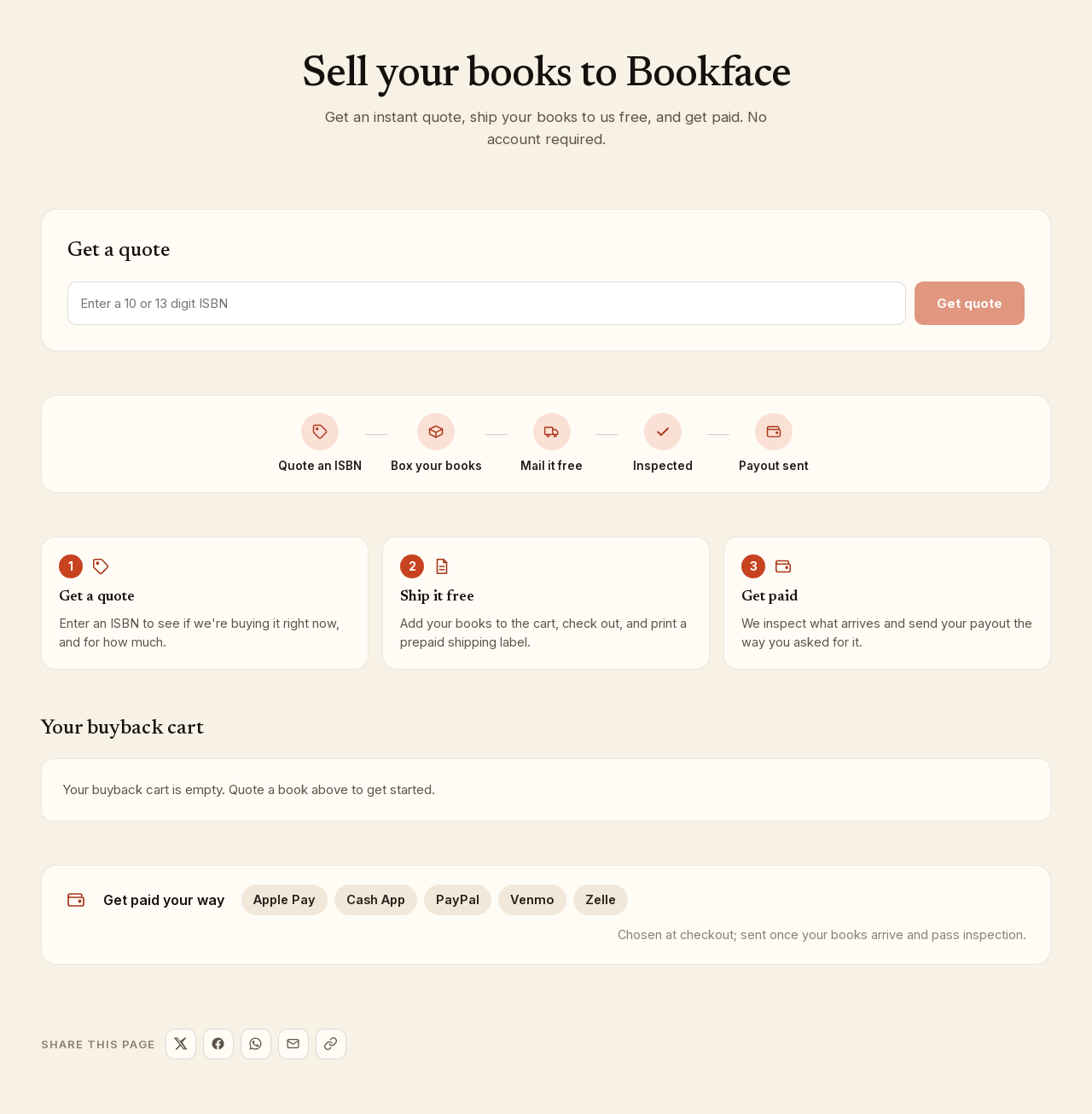
- Go to Sell your books. The page is headed Sell your books to Bookface.
- Under Get a quote, type the ISBN from the back cover into the box labeled Enter a 10 or 13 digit ISBN. Hyphens and spaces are fine.
- Click Get quote.
If we are buying the book, a card shows the title, the author and the price per copy. If not, the page says We're not buying this one right now. Prices change often, so check back later or try another ISBN.
Add it to your cart
- Pick the number of copies under Qty. The list only goes as high as we will take for that title, at most 2 copies per ISBN.
- Click Add to cart. The line Added to your buyback cart below. confirms it.
- Repeat for every book you want to sell.
Your buyback cart
The cart at the bottom of the page lists each book with its quantity and price. Use − and + to change the quantity and Remove to take a book out. The Total is what we are quoting today for everything in the cart.
Prices are live. If a price changes to Price no longer available while the book is in your cart, we have stopped buying that title for now; remove it before you check out, as the page suggests.
When you are ready, click Checkout. See Ship your books.
How you get paid
The strip at the bottom of the page lists the payout methods: Apple Pay, Cash App, PayPal, Venmo and Zelle. You choose one at checkout, and payment is sent once your books arrive and pass inspection. See Getting paid.
What we buy
We buy textbooks and academic titles. The quote is the only way to know whether we are buying a particular ISBN today, so if a title is not quotable, the answer is simply that we are not buying it right now.